01 / Capture
Keep the details together
Add a vendor, date, amount, category and notes. Edit mistakes, or delete an expense after a confirmation.

Free tools · Victor’s Smart Solutions
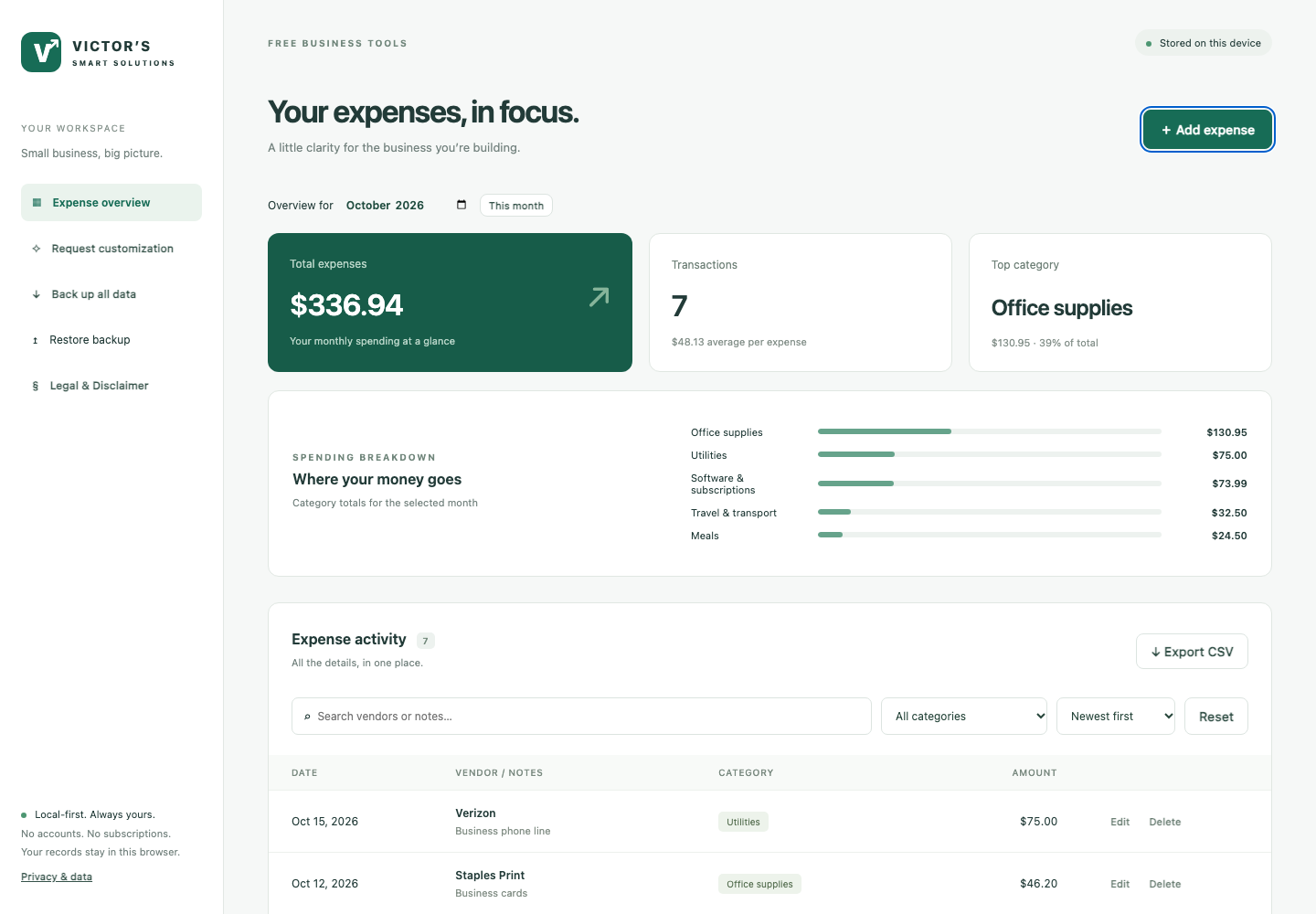
A clearer picture with a simpler expense tracker. Keep small-business spending organized, see your month at a glance, and keep your records on your own computer.
No account. No subscription. No expense uploads.
Made for the everyday details
The software subscription. The office supplies. The coffee with a client. Bring the little expenses into one useful view.
Start with the free app. If your business needs something more specific, request a customization.
Version 1.0.1 · Runs in your browser on your own computer
USD · One business per browser profile
A useful start, without the overhead
01 / Capture
Add a vendor, date, amount, category and notes. Edit mistakes, or delete an expense after a confirmation.
02 / Understand
Review monthly totals, transaction counts and spending by category. Search vendors and notes, filter by category and sort your records.
03 / Keep control
Export the current view to CSV for reports. Download all records as a JSON backup and restore it when you need it.
04 / Private
No accounts, analytics, ads or external fonts, and no expense uploads. Records are saved in your own browser.
From download to first expense
This download is a browser app, not a Windows or Mac installer. To start it, you need Python 3 and a terminal (Terminal on macOS and Linux, Command Prompt on Windows). Python runs a small web server on your own computer so your browser can open the app. If you are not comfortable using a terminal, ask someone who is to help with the first setup.
victors-expense-tracker-v1.0.1.victors-expense-tracker-v1.0.1 folder (the one that contains app and SETUP.txt) and run the command for your computer:
macOS / Linux
python3 -m http.server 8080 --bind 127.0.0.1 --directory appWindows
py -m http.server 8080 --bind 127.0.0.1 --directory apphttp://localhost:8080.Free to get started
The package includes the app, a README, setup instructions and the software disclaimer.
Your expense records are stored only in your browser on this computer. They are not encrypted and not backed up automatically. Clearing browser data, private browsing, or losing access to your computer can mean losing your records.
Free · Version 1.0.1
Read the disclaimer and check the box to enable the download.
No account or payment required. Custom development, if agreed, is quoted separately.
A few things to know
No. It organizes positive expense amounts in USD for one business. It does not currently handle refunds, receipts, payroll, tax filings, invoicing or bank synchronization. Review its totals and consult a qualified professional for accounting and tax requirements.
The app is a set of web files. Browsers limit storage for files opened directly from a folder, so Python’s built-in web server gives the app a stable local address (http://localhost:8080). It is free, runs only on your computer, and installs nothing else.
No. The app has no expense-upload feature and no analytics. Expense records are stored in your browser profile. Anyone who can access that profile may be able to read them. Files you export are not encrypted, so store and share them carefully.
Each device, browser profile and address has its own records. There is no automatic synchronization or shared team workspace. You can move a JSON backup manually; remember that restoring replaces the receiving app’s current data.
Compare the file’s SHA-256 checksum with SHA256SUMS.txt. On macOS or Linux run shasum -a 256 victors-expense-tracker-v1.0.1.zip; on Windows run certutil -hashfile victors-expense-tracker-v1.0.1.zip SHA256.
Use the contact form on our home page to describe what you need, such as custom reports, approval steps or an integration. Please do not include expense records or other sensitive information. Customization is optional and quoted separately.
This version adds the Free Software Disclaimer with an unchecked first-use acknowledgment, a Legal & Disclaimer view inside the app, and setup guidance. Customization requests now go through our contact form instead of a downloadable brief. The expense data and backup format are unchanged.
Useful today. Tailored tomorrow.
Need custom reports, approval steps or an integration with your business software? Tell us what would make this tool more useful for you.
Request a customizationCustomization is optional and subject to a separate quote and written agreement. The free app has no ongoing support or update commitment.